Small Steps VIII — Build with Several Files
Give Functions a Header
Put declarations in a header and definitions in a source file.
Keep introductions in one place
Previously we wrote a function declaration directly in main.cpp. A header keeps that introduction in one place when several files need it.
Right-click a blank area and choose New Header File… to create greeting.h. Keep the generated #pragma once line.
greeting.h
#pragma once

void say_hello();
greeting.cpp
#include "greeting.h"

void say_hello()
{
    print("Hello from another file!");
}
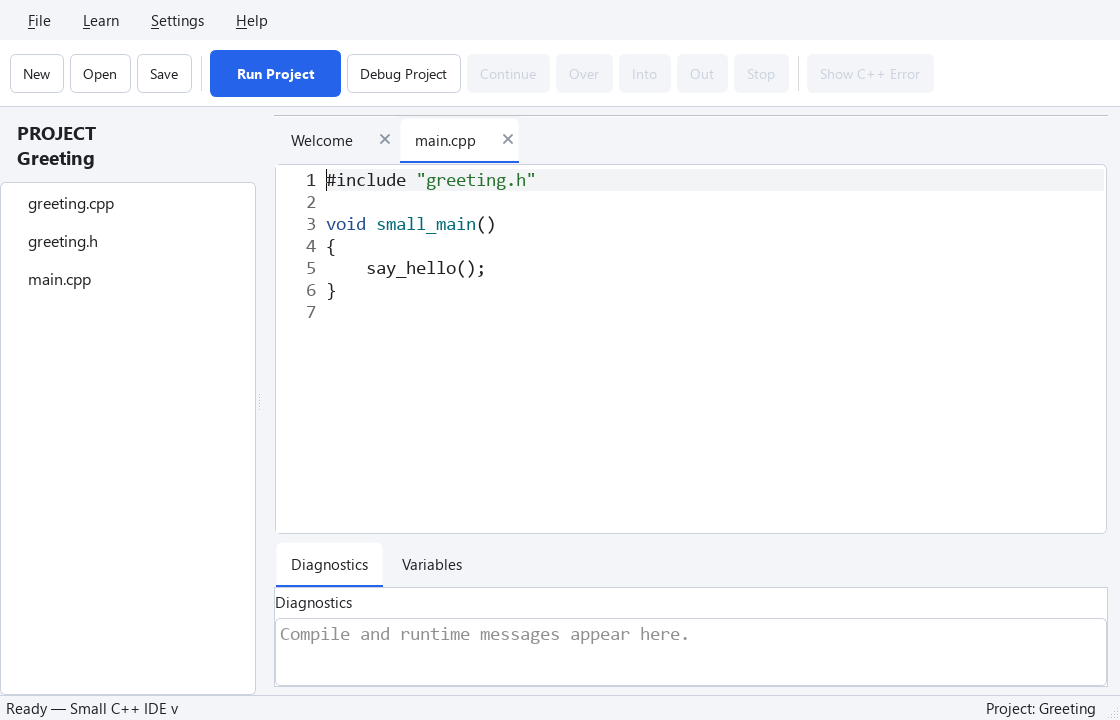
main.cpp
#include "greeting.h"

void small_main()
{
    say_hello();
}
#include "greeting.h" reads that header into the current file. Use double quotes for a header in the same folder. The function body exists only in greeting.cpp. That file includes its own header too, so the compiler can check that the declaration matches the definition.
#pragma once prevents repeated inclusion of a header during the compilation of one source file. It is not a C++ standard feature, but Small C++'s compiler supports it. You can learn the standard alternative, include guards, later.
Check the same behavior in one file
The following combines the same program into one file. Try This Code opens this one-file version; it does not create the three project files automatically.
void say_hello()
{
    print("Hello from another file!");
}

void small_main()
{
    say_hello();
}
Exercise — Check it yourself
Call say_hello twice in the one-file practice. Then get the same result in your project by changing only main.cpp.
void say_hello()
{
    print("Hello from another file!");
}

void small_main()
{
    say_hello();
}
Hint
Use the menus described above. The solution below is for the one-file practice. Apply the same change to the file with that job in your project.
show solution
void say_hello()
{
    print("Hello from another file!");
}

void small_main()
{
    say_hello();
    say_hello();
}